An MCP client wants Pulse-governed workflow context, but raw system access widens the trust surface beyond what the workflow owner approved.

Scoped sources, revocation, and audit posture
Business Connectors
Give approved AI clients useful business context without broad system access.
Business Connectors is the reviewed access path for approved AI clients and approved business sources. Start by naming the source owner, token scope, tool catalog, revocation owner, audit expectation, and review rule before any production connector is enabled.
Where to start
See what Pulse can automate
Use this page to see when Pulse fits, what it can organize, what your team still controls, and what to send next.
Business Connectors expose a workflow-scoped MCP tool catalog that inherits the source boundary, review rule, and audit posture of the Pulse Business OS card.
Workflow owners approve the tool catalog, source boundary updates, and write-path review rules before any MCP client sees them.
Bring the workflow you want to expose, the MCP client you plan to wire, and the workflow owner who can approve the catalog.
See it in action
Connector access walkthrough
A narrated walkthrough of how Business Connectors brings scattered business systems, files, project trackers, inboxes, and team tools into one reviewed context layer, with scope and a review owner on each connector.
A concise walkthrough of the connector access review.
What Pulse starts with
Business connection inputs
The integration path starts by naming the business systems, data owners, team tools, review rules, and workflow boundaries that should shape each approved connection.
Business system
Data source owner
Approved desktop client
Tool catalog
Workflow-scoped token
Team review rule
Revocation owner
Assistant capability
Business Connection Planner
Precise, technical, and boundary-aware for MCP client builders and security reviewers.
Business connection scope
Workflow owner and connector administrator
Approved connector docs and the workflow-scoped Pulse Business OS card behind the MCP tool catalog.
Token requests, customer-specific setup, security review, and production access route to the connector owner.
Allowed
- Explain the MCP endpoint and workflow-scoped tool catalog.
- Clarify client setup posture for Claude Desktop, Cursor, ChatGPT, and custom agents.
- Route token, revocation, catalog, and security questions to the right docs.
- Explain how connector access inherits the Pulse Business OS source boundary.
Stops and handoffs
- Expose raw credentials, tokens, secrets, or private tool output.
- Claim unapproved live customer deployments or public connector proof.
- Bypass workflow-owner review for write actions or source expansion.
Help a builder connect one MCP client to one workflow while keeping source boundary, owner, review rule, and revocation visible.
How it works
From signal to reviewed next step

- 01
Endpoint
The MCP client points to https://agent-hub.pulsebusiness.ai/mcp.
- 02
Token
The access request names tenant, workflow id, client, expiry, source scope, catalog version, and revocation owner.
- 03
Catalog
The client lists only the tools and resources approved for that workflow.
- 04
Audit
Production access should define what calls are logged, who can review them, and how revocation is handled.
Connection example
From business source to approved AI access
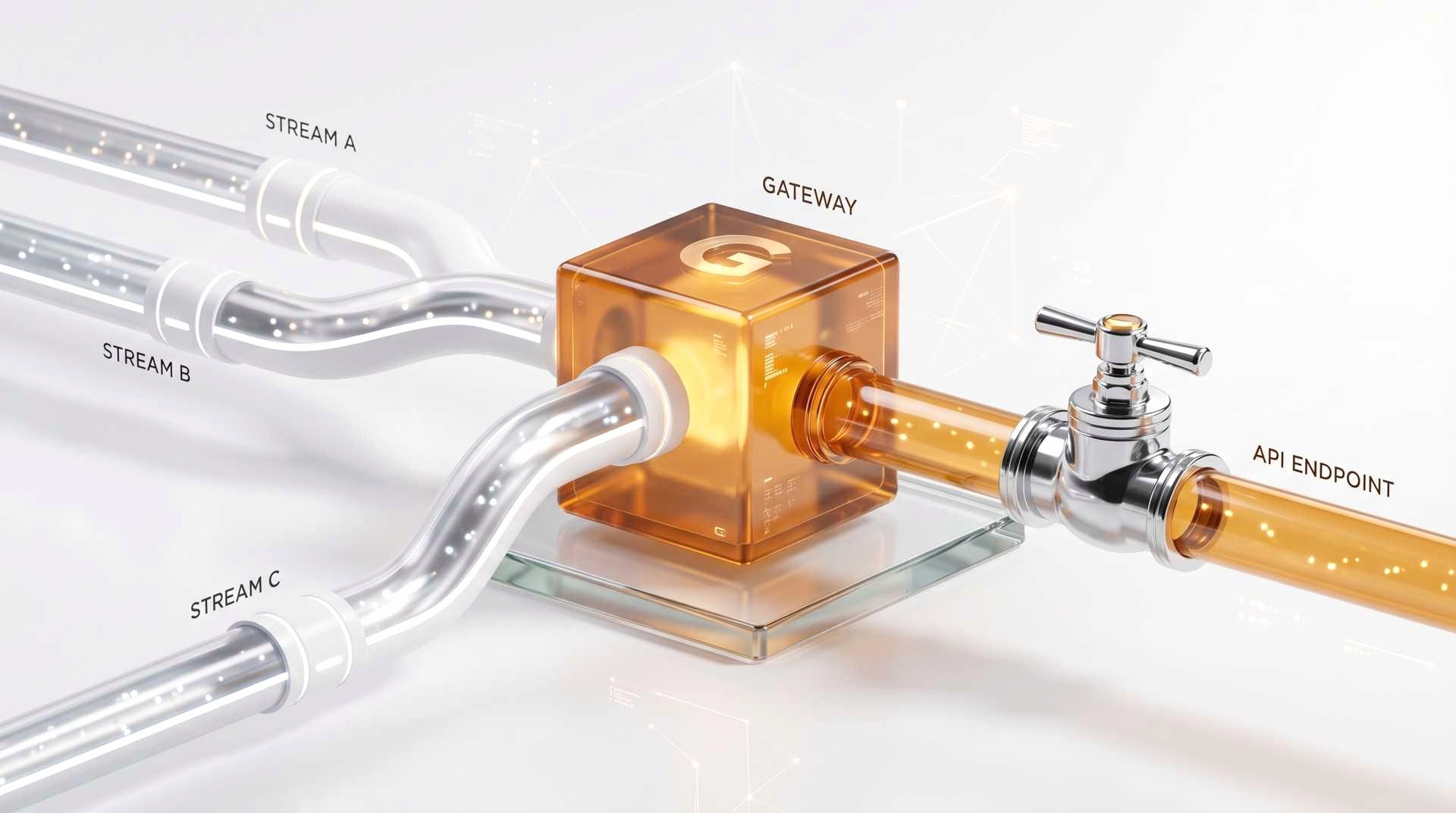
The connection page should make the integration path clear: name the system, scope the data, approve the tool catalog, then enable the approved MCP client.
What Pulse helps with
Connector access and readiness checklist

Endpoint
Document the MCP URL, transport expectation, and environment where the client will connect.
View Endpoint
Client setup readiness
Plan Claude Desktop, Cursor, or compliant custom clients with reader-facing readiness language; hold unapproved connector paths until they are cleared.
View Client setup readiness
Token request
Name tenant, workflow id, client, expiry, source scope, and revocation owner before issuing access.
View Token request
Tool catalog
List only workflow-approved tools and resources with source scope, approval readiness, and allowed action.
View Tool catalog
Revocation
Show how a client can be removed without sharing source credentials or disturbing unrelated workflows.
View Revocation
Audit posture
Define call logging, review owner, retention expectation, and escalation before production use.
View Audit postureExamples to review together
Public examples are connector artifacts.
Use docs artifacts for proof: endpoint strips, mock tool catalogs, redacted workflow resources, and pilot-planning access reviews. Do not publish customer brand assets, anecdotes, or unverified stories.

Pilot planning example: scoped tenant workflow
Mock example: documented tool catalog
Redacted example: reviewed workflow brief

What stays reviewed
What access reviewers should see
Connector access should be reviewed per workflow, tenant, and client. The review should name who owns catalog changes, source-scope changes, revocation, and audit expectations.
Tenant, workflow id, client, expiry, and revocation owner should be visible.
Approved source excerpts, owner contacts, and workflow metadata for the active workflow only.
Source-labeled summaries, briefs, review cues, and catalog-aware answers with boundaries repeated.
Draft replies, checklists, routed next steps, or review handles only when the approved catalog allows it; final sensitive decisions stay human-owned.
Raw credentials, other tenants, unrelated workflows, unapproved folders, payment data, secrets, or sensitive final decisions.
New tools should require an owner review and a manifest/version note before client use.
Source changes should be explicit and reflected in the next tool list.
Connector inventory, search, and filters can appear only after the catalog language, categories, source owners, and readiness state are approved.
A client should be removable without changing source credentials or unrelated workflows.
The setup should state what calls are logged and who can review them.
Next steps
Choose the next useful action



Buyer clarity
Business Connectors buying questions answered in one place.
Use this section to confirm fit, expected deliverable, proof standard, existing-tool fit, and what remains human-owned.
Buying snapshot
Business Connectors: what a buyer should know before contacting Pulse.
A concise buying frame keeps the page tied to fit, artifact, scope, timeline, and accountable review before the next conversation.
Best forBuyer
IT / Systems departments and AI tooling owners connecting approved clients to business context.
Start withFirst use case
One workflow-scoped connector path for an approved MCP client and a named source owner.
You receiveArtifact
Connector setup strip with endpoint, tool catalog, token scope, source boundary, revocation owner, and audit posture.
What to sendInput
Approved client, source system or export, workflow purpose, token scope need, reviewer, and revocation expectation.
Human-ownedDecisions
Source expansion, write actions, access approval, customer-sensitive outputs, and production connector rollout stay reviewed.
TimelineTypical first step
Pilot setup starts with one source and one client path; production timing depends on security review and source readiness.
Pricing scopeDrivers
Client count, source count, custom tools, token model, audit expectations, tenant model, and write-path complexity.
Proof-safe example
Inspect the artifact before trusting the claim.
Pulse proof should start with redacted or sample source material, a concrete artifact, and the human decision that remains outside automation.
InputSafe example
One source-to-client request with the allowed source and the approved AI client named.
ArtifactPrepared output
Connector strip showing endpoint, catalog, token request, revocation path, and what the client does not see.
ReviewWhat people decide
IT and the workflow owner approve the catalog before access widens.
Existing-tool fit
Pulse works around the systems you already use.
The practical question is what stays in the current system, what Pulse drafts for owner review, and where automation must stop.
KeepExisting tools
Keep source systems as the record owner and existing AI clients as the user surface.
Use Pulse forReviewed handoffs
Use Business Connectors for scoped, revocable, inspectable context access through approved connector paths.
Do not use Pulse forBoundary
Do not use connectors to give broad system access or imply write authority without explicit review.
Sample briefMCP Connectors
Get a sample governed MCP connector spec in your inbox.
How Pulse wraps a business system as a governed MCP connector: scope, allowed sources, permissioning, and audit. The reference spec you can hand an engineer.
Check your inbox — your sample operating brief is on the way.
We couldn’t capture that. Email hello@pulsebusiness.ai instead.
One brief, no spam.
Next step
You should know what the first connection needs.
Name the business system, data owner, team workflow, approved client, tool catalog, source boundary, and revocation path before MCP access is enabled.